
Assist system information
Display on the Control Display
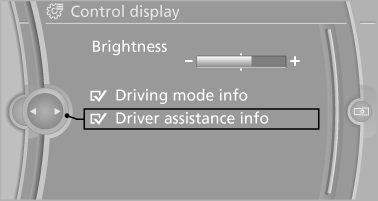
Information on the Assist system can be displayed by activating Assist on the Control Display.
1. "Settings"
2. "Control display"
3. "Driver assistance info"
See also:
General information
The navigation system can determine the precise
position of the vehicle, with the aid of satellites
and vehicle sensors, and can reliably
guide you to every entered destination.
Navigation data ...
Pinch protection system
If the closing force exceeds a specific value as a
window closes, the closing action is interrupted.
The window reopens slightly.
Danger of pinching even with pinch protection
Even with the pin ...
BMW Maintenance System
The maintenance system directs you to required
maintenance measures and thereby supports
you in maintaining road safety and the operational
reliability of the vehicle. ...