
Display
Instrument cluster
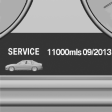
Display in the instrument cluster.
Instrument cluster with enhanced features
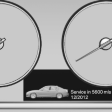
Display in the instrument cluster with expanded scope.
Detailed information on service requirements
More information on the scope of service required can be displayed on the Control Display.
1. "Vehicle Info"
2. "Vehicle status"
3.  "Service required"
Required maintenance procedures and legally
mandated inspections are displayed.
4. Select an entry to call up detailed information.
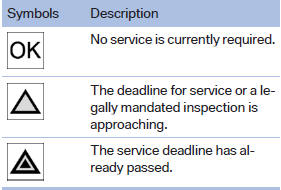
Symbols
See also:
Gas station recommendation
The remaining range is calculated, and if necessary
gas stations along the route are displayed.
Even with the most current navigation data, information
regarding individual gas stations may
have ...
The right place for children
Note
Children in the vehicle
Do not leave children unattended in the
vehicle; otherwise, they could endanger themselves
and other persons, e.g., by opening the
doors.
Children should always ...
Displays in the instrument cluster
Desired speed
▷ The marking lights up in
green: the system is active.
▷ The marking lights up in orange:
the system has been
interrupted.
▷ The marking does not light up: ...