
Current fuel consumption
Instrument cluster

Displays the current fuel consumption.
You can check whether you are currently driving in an efficient and environmentally- friendly manner.
Instrument cluster with enhanced features
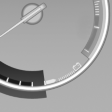
Displays the current fuel consumption.
You can check whether you are currently driving in an efficient and environmentally- friendly manner.
Displaying the current fuel consumption
1. "Settings"
2. "Info display"
3. "Additional indicators"
The bar display for the current fuel consumption is displayed in the instrument cluster.
See also:
At a glance
General information
Contacts, appointments, tasks, notes, text messages,
and e-mails from the mobile phone can
be displayed on the Control Display if the mobile
phone provides compatible support o ...
Unpairing the mobile phone
1. "Telephone".
2. "Bluetooth® (phone)".
3. Highlight the mobile phone that is to be unpaired.
4. "Options" Open.
5. "Remove phone from list" ...
Telephone
...