
Setting the voice dialog
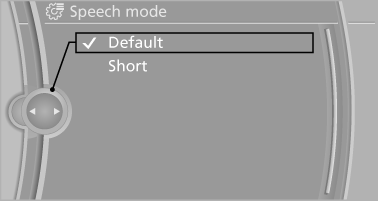
You can set whether the system should use the standard dialog or a shorter version.
In the shorter variant of the voice dialog, the announcements from the system are issued in an abbreviated form.
On the Control Display:
1. "Settings"
2. "Language/Units"
3. "Speech mode:"
4. Select the setting.
See also:
What to do if...
Information on suitable mobile phones.
The mobile phone could not be paired or connected.
Is Bluetooth activated in the vehicle and on
the mobile phone? Activate Bluetooth in the
vehicle an ...
Multi-channel playback, surround
Choose between stereo and multi-channel playback,
surround.
Setting multi-channel playback,
surround
1. "CD/Multimedia", "Radio" or "Settings".
2. "Tone" ...
Requirements
▷ Equipment version with full preparation
package mobile phone.
An Emergency Request can be made, even
if no mobile phones are paired with the vehicle.
▷ BMW Assist is activated.
&# ...