
Compressed audio files
Playback
1. Select the directory if necessary.
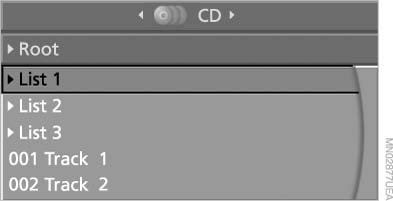
Select the directory if necessary
2.  Press the button.
3. Select a track.
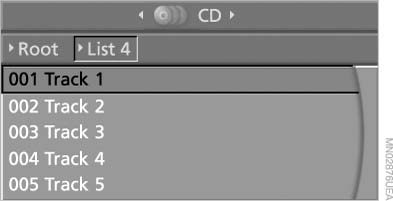
Select a track
4. Press the button.
5. Select "Play".
6. Press
the button.
To change the directory:
1. Select the directory.
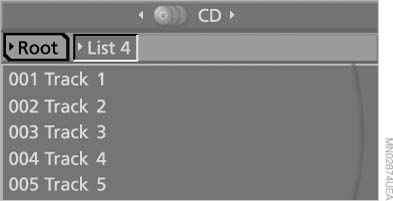
Select the directory
2. Press the button.
Settings and playback functions for compressed audio files
1. Select a track.
2. Press the button.
3. Make the settings with the remote control:
▷ "Tone":
▷ "Treble / Bass" and "Balance": separately
adjustable for the left and right
headphones and the infrared headphones.
▷ "Reset": the settings are reset to the default
values.
▷ "Pause": stop and continue playback.
▷ "Scan directory": briefly sample the tracks
in the current directory.
▷ "Scan all": briefly sample all tracks.
▷ "Random directory": play the tracks in the
current directory in a random sequence.
▷ "Random all": play all tracks in a random sequence.
▷ "Repeat track": repeat the selected track.
▷ "Repeat directory": repeat the tracks in the
current directory.
▷ "Details": display any stored information on
the current track.
To exit from the menu:
 Press the buttons on the remote
control.
Press the buttons on the remote
control.
See also:
Compatibility
If this symbol is printed on
the packaging
or in the instructions of the hand-held
transmitter, the remote-controlled device
is generally compatible with the universal
remote control.
If y ...
Opening
During opening, the trunk lid pivots back and up.
Ensure that adequate clearance is available before
opening.
Opening from the outside
Opening from the outside
▷ Press the button on the ...
New & Improved, Sort Of
An updated 3.0-liter six-cylinder engine goes under the hood. Packed with
BMW's latest innovations, the engine churns out 260 horsepower and 225
pounds-feet of torque — a 15 percent increase in ho ...