
Starting playback
Push the CD/DVD into the drive with the labeled side facing upward. The CD/DVD is automatically pulled in.
▷ Playback begins automatically after a few
seconds.
▷ Otherwise: select "CD".
 Press the button.
CDs/DVDs with compressed audio files, can take approx. 1 minute to read, depending on their directory structure.To play back audio tracks from a DVD, refer to Compressed audio files
To start playback if a CD is already in the drive:
1. Open the start menu with the remote control.
2. Select "CD".
3. Press the button.
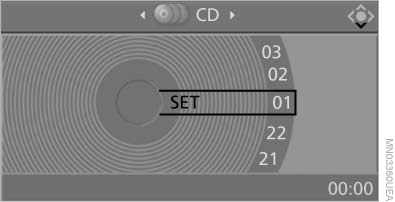
Starting playback
As an alternative, you can also control the playback with the buttons on the CD/DVD player.
To eject CD/DVD:
 Press the button
on the CD/DVD player
Press the button
on the CD/DVD player
See also:
Comparison with ordinary remote
control
The functions can be controlled by pressing the
buttons of the remote control or Comfort Access.
Unlocking
Fully grasp a door handle, arrow 1. This corresponds
to pressing the button.
Lockin ...
General information
Lamps and bulbs make an essential contribution
to vehicle safety.
The manufacturer of the vehicle recommends
that you entrust corresponding procedures to
the service center if you are unfamiliar ...
Checking the engine oil level
Your car is equipped with an electronic engine
oil level check.
Requirements
▷ The engine must be running and warm after
the vehicle has been driven for at least
6.2 miles/10 km.
▷ ...