
Controls
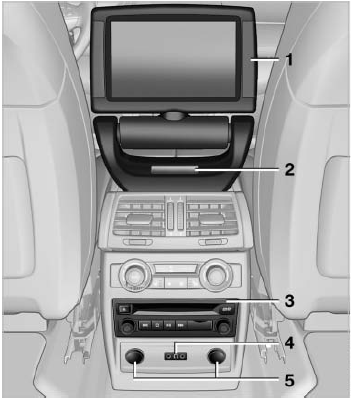
Controls
1 Display screen
2 Infrared interface for headphones
3 CD/DVD player
4 Headphone connection: jack plug
5 12 V sockets
See also:
Setting the voice dialog
You can set whether the system should use the
standard dialog or a shorter version.
In the shorter variant of the voice dialog, the announcements
from the system are issued in an
abbreviated fo ...
Capacities
...
Opening the main menu
Press the button.
The main menu is displayed
The main menu is displayed.
All iDrive functions can be called up via the main
menu. ...