
Adjusting the ventilation temperature
This function can be used to adjust the air temperature for the upper body region.
1. "Settings"
2. "Climate"
3. "Driver ventilation" or "Front passenger ventilation"
4. Turn the controller to adjust the temperature.
▷ Blue: colder
▷ Red: warmer
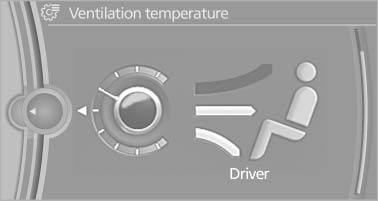
Adjusting the ventilation temperature
See also:
Rear
Rear
Operation similar to front seat heating, without
temperature distribution. ...
Maintenance and repair
Advanced technology, e.g. the use of modern
materials and powerful electronics, requires specially adapted maintenance and repair
methods. You should therefore have the corresponding work on your ...
headlamp flasher
1. High beams
2. Headlamp flasher
3. Turn signal
Using turn signalsPress the lever beyond the resistance point. To turn off manually, press the
lever to the resistance point.
Unus ...