
Time, date, external temperature
From radio readiness the external temperature and the time are displayed.
Set the time
Retrieving date
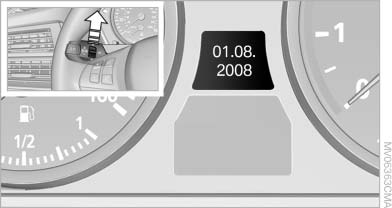
Retrieving date
Press the button on turn signal lever upward; the date appears.
Set the date
Pressing the button upward or downward several times changes the display between clock, external temperature, date, and Check Control messages
External temperature warning
If the display drops to +37 ℉/+3 ℃, a signal sounds and a warning lamp lights up. There is the increased danger of ice.
 Ice on roads
Even at temperatures above +37 ℉/+3 ℃,
there can be a risk of ice on roads.
Therefore, drive carefully on bridges and shady roads, for example, to avoid the increased danger of an accident.◀
See also:
Remove attached partsfollowing use
Remove auxiliary mirrors, roof or rear luggage
racks which are no longer required following
use.
Attached parts on the vehicle impair the aerodynamics
and increase the fuel consumption. ...
Malfunction
Comfort Access may not function properly if it
experiences interference from external sources
such as mobile phones, metal objects, overhead
power lines, transmission towers, etc.
If this occur ...
Switching the interior lamps on and off
Press the button.
To switch off permanently: press the button for
approx. 3 seconds.
To clear this setting: press the button. ...