
Bypassing a section of the route
Calculate a new route for a route section.
1. "Navigation"
2. "Route information"
3. "New route for"
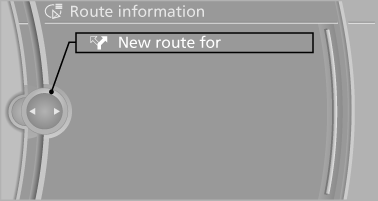
4. Turn the controller. Enter the number of kilometers
within which you would like to return
to the original route.
5. Press the controller.
See also:
One lever for all functions
One lever for all functions
1 Storing and maintaining speed or accelerating
2 Storing and maintaining speed or decelerating
3 Interrupting and deactivating the system
4 Resuming a speed stored b ...
Upholstery material care
Vacuum regularly with a vacuum cleaner.
If they are very dirty, e.g., beverage stains, use a
soft sponge or microfiber cloth with a suitable
interior cleaner.
Clean the upholstery down to the se ...
Top View
The concept
Top View assists you in parking and maneuvering.
The area around the doors and the road area
around the vehicle are shown on the Control
Display for this purpose. ...