
Indication in the info display
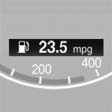
The information from the computer is shown in the Info display in the instrument cluster.
See also:
The ultimate in personalization: BMW Sport Line and BMW Urban Line make
their debut
The exclusive new BMW Sport Line and BMW Urban Line of interior and exterior
equipment help to show off the high-tech, dynamic facets of the new BMW 1-Series
to best advantage.
The BMW Sport Lin ...
Navigation bar overview
With navigation system: the functions of the
navigation bar symbols can also be stored on the
programmable memory buttons.
They are stored. ...
Observe the following when
refueling
When refueling, insert the filler nozzle completely
into the filler pipe. Lifting up the fuel
pump nozzle during refueling causes:
▷ Premature pump shutoff.
▷ Reduced efficiency in t ...