
Time
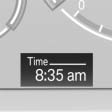
The time is displayed at the bottom of the instrument cluster.
Setting the time and time format.
See also:
Capturing the image
Two cameras integrated in the bumpers capture
the image.
The cameras capture a maximum range of
330 ft/100 m.
Display
The images from both cameras are shown simultaneously
on the Control Disp ...
Tilting the glass sunroof
Push switch upward briefly.
▷ Closed roof is tilted open.
▷ The opened roof closes until
it is in its tilted position. The
sliding visor stays completely
open. ...
Controls
1 Change entertainment sources
2 Change station/track
3 Programmable memory buttons
4 Volume, on/off
5 Change wave band ...