
Tilting the glass sunroof
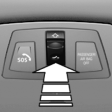 Push switch upward briefly.
▷ The closed roof is tilted and
the sliding visor opens
slightly.
▷ The opened roof closes until
it is in its tilted position. The
sliding visor stays completely
open.
See also:
Arming and disarming the alarm system
General information
When you lock or unlock the vehicle, either with
the remote control or at the door lock, the alarm
system is armed or disarmed at the same time.
Door lock and armed alarm sys ...
Gas station recommendation
The remaining range is calculated, and if necessary
gas stations along the route are displayed.
Even with the most current navigation data, information
regarding individual gas stations may
have ...
Tasks
Displaying the task list
Display tasks that are due within the next
90 days.
1. "Office".
2. "Tasks"
Sorting the task list
1. Select the header in the task list.
2. Selec ...