
Display on the Control Display
Activating/deactivating systems
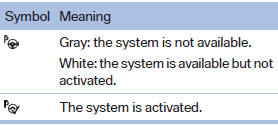
System status

Gray: the system is not activated.
Parking space search.
Blue: the system is activated. A suitable parking space was found.

The parking procedure is active.
Steering control has been seized.
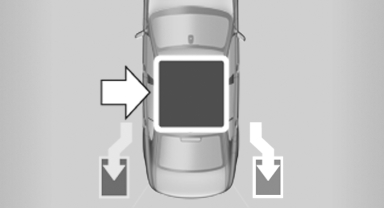
Status of the parking space search
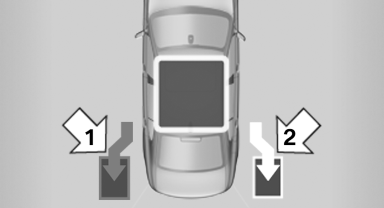
Status of the parking space search
▷ Gray, arrow 1: parking space search.
▷ Blue, arrow 2: parking space is suitable.
The vehicle is parked in the parking space if the parking procedure is active.
▷ No display: no parking space search.
See also:
Profile management
Opening the profiles
A different profile can be called up than the one
associated with the remote control currently in
use.
1. "Settings"
2. "Profiles"
3. Select a profil ...
Last destinations
At a glance
The destinations previously entered are stored
automatically.
The destinations can be called up and used as a
destination for destination guidance.
Calling up the last destination
...
Capacities
...