
Bypassing a section of the route
Calculate a new route for a route section.
1. "Navigation"
2. "Route information"
3. "New route for"
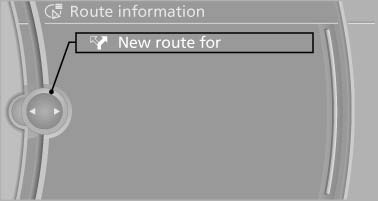
New route for
4. Turn the controller. Enter the number of kilometers within which you would like to return to the original route.
5. Press the controller.
See also:
Unpairing the mobile phone
1. "Telephone".
2. "Bluetooth® (phone)".
3. Highlight the mobile phone that is to be unpaired.
4. "Options" Open.
5. "Remove phone from list" ...
Reminders
Displaying reminders
Reminders of pending appointments and tasks
are displayed. After an appointment or after a
task is due, the reminder is no longer displayed.
1. "Office"
2. " ...
Enabling
Enabling operation in the rear
Only possible via the iDrive in the front.
1. "Settings"
2. "Allow rear control"
3. Select the desired priority.
Priority options
The driver ...