
Using the home address as the destination
The home address must be stored. Specify the home address
1. "Navigation"
2. "Address book"
3. "Home"
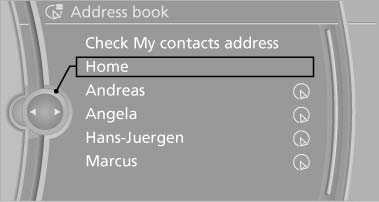
Using the home address as the
destination
4. "Start guidance"
See also:
Contacts
...
Automatic Hold
The concept
This system assists the driver by automatically
setting and releasing the brake, such as when
moving in stop-and-go traffic.
The vehicle is automatically held in place when
it is s ...
Braking safely
Your vehicle is equipped with ABS as a standard
feature.
Applying the brakes fully is the most effective
way of braking in situations when this is necessary.
The vehicle maintains steering respo ...