
Switching on/off manually
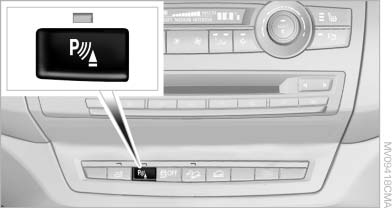
Switching on/off manually
Press the button.
▷ On: the LED lights up.
▷ Off: the LED goes out.
If PDC is displayed, switch on the backup camera via the iDrive
See also:
Transmitting the settings
Your personal settings can be taken with you to
another vehicle equipped with the Personal Profile
function. For more information, contact your
service center.
Transmission takes place via:
& ...
Camera
Camera
The lens of the rear view camera is under the
grasping lip of the tailgate.
The presence of dirt can impair image quality.
Clean the lens with a moist, nonabrasive cloth. ...
Treble, bass, balance, and
fader
▷ "Treble": treble adjustment.
▷ "Bass": depth adjustment.
▷ "Balance": left/right volume distribution.
▷ "Fader": front/rear volu ...