
Display
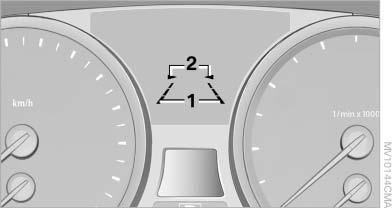
Display
1. The system is activated.
2. Arrows: at least one lane marking was detected and warnings can be issued.
See also:
Engine compartment
Vehicle equipment
All standard, country-specific and optional
equipment that is offered in the model series is
described in this chapter. Therefore, equipment
is also described that is not avai ...
Drive away without delay
Do not wait for the engine to warm up while the
vehicle remains stationary. Start driving right
away, but at moderate engine speeds.
This is the fastest way for the cold engine to
reach its ope ...
Parts and accessories
For your own safety, use genuine parts and accessories
approved by BMW. When you purchase
accessories tested and approved by
BMW and Genuine BMW Parts, you simultaneously
acquire the assurance ...