
Opening/closing the sliding visor
You can move the sliding visor independently with the sunroof closed or tilted.
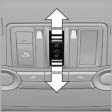 ▷ Press the switch in the
desired
direction to the resistance
point and hold it there.
▷ Press the switch in the
desired
direction to the resistance
point and hold it there.
The sliding visor moves while
the switch is being held.
▷ Press the switch in the desired direction
past the resistance point.
The sliding visor moves automatically.
Pressing the switch again stops the motion.
See also:
Controls
1 Change the entertainment source
2 CD/DVD drive
3 Eject CD/DVD
4 Change station/track
5 Programmable memory buttons
6 Volume, on/off ...
All around the steering wheel
1 Rear window safety switch
2 Power windows
3 Exterior mirror operation
4
Lane departure warning
Collision warning
5 Lamps
Front fog lamps
Parking lamps
...
Tire inflation pressures at max. speeds
above 100 mph/160 km/h
Speeds above 100 mph/160 km/h
In order to drive at maximum speeds in excess
of 100 mph/160 km/h, please observe, and,
if necessary, adjust tire pressures for speeds
exceeding 100 mph/160 km/h ...