
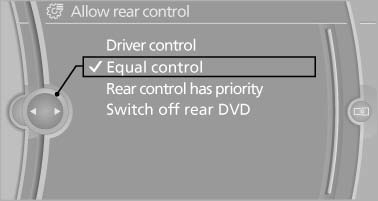
Enabling operation in the rear
Only possible via the iDrive in the front.
1. "Settings"
2. "Allow rear control"
3. Select the desired priority.
See also:
Changing the list view
The list view changes every time the first symbol
on the navigation bar is pressed.
Information on the channel is displayed
...
Instrument cluster, electronic displays
1 Symbols and messages, e.g., warnings
2 Range
3 Computer
4 Navigation display
Service display
5 Selection list, e.g., radio
6 Transmission displays ...
Weights
The values preceding the slash apply to vehicles
with manual transmission; the values following
the slash apply to vehicles with automatic transmission.
...