
Cargo area
Net
Smaller objects can be stored in the net on the side of the cargo area.
To transport larger objects, it can be pushed down.
Storage compartment under the cargo floor panel
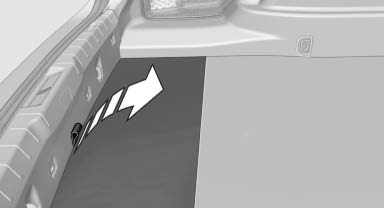
Raise the cargo floor panel.
Storage compartment on the side
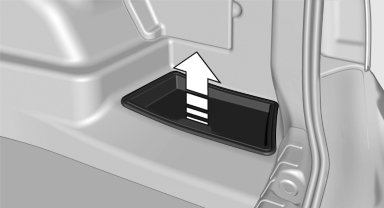
Under the cover on the side of the cargo area is a storage compartment that can be used to store the printed Owner's Manual, for example. Remove the cover.
Lashing eyes
To secure the cargo, there are lashing eyes in the cargo area.
See also:
Indicator/warning lamps
Indicator/warning lamps
The indicator and warning lamps can light up in
a variety of combinations and colors.
Several of the lamps are checked for proper
functioning and light up temporarily ...
Ski bag
Capacity
The ski bag can be used to transport up to four
pairs of skis with a length of up to 6 ft/2.10 m or,
depending on the binding, up to two snowboards
with a length of up to 5 ft/1.60 m.
...
Brightness
Setting the brightness
To set the brightness of the Control Display:
1. "Settings"
2. "Control display"
3. "Brightness"
4. Turn the controller until the desired br ...