
Display
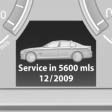
The driving distance or the time to the next service is displayed briefly after the ignition is switched on.
The current service requirements can be read out from the remote control by the service specialist.
Data regarding the maintenance status or legally mandated inspections of the vehicle are automatically transmitted to your service center before a service due date, Automatic Service Request.
See also:
A host of active safety systems reduce the risk of accidents
A selection of electronic assistance systems make an active contribution to
driving safety in the new BMW 3-Series, helping drivers to avoid collisions in
the first place. The functions of the mai ...
California Proposition 65 Warning
California laws require us to state the following
warning:
Engine exhaust and a wide variety of automobile
components and parts, including components
found in the interior furnishings in a vehi ...
Torsion-resistant body, optimal weight, wide range of safety features
The new BMW Series 1's lightweight body makes it more agile and improves
passenger safety, with high-strength steel being used to increase torsion
resistance and the strength of the passenger safe ...