
Rear door controls
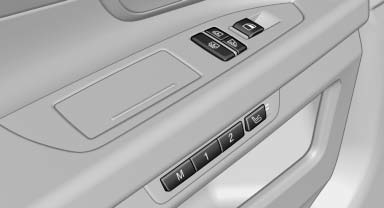
Roller blind for the side windows
 Press the button.
The roller blind can only be extended or retracted when the side window is closed.
Roller blind for rear window
 Press the button.
Raising and lowering the roller blinds together
Press and hold the button.
See also:
Transmission positions
D Drive, automatic position
Position for normal vehicle operation. All forward
gears are available.
Under normal operating conditions, fuel consumption
is lowest when you are driving in position ...
Releasing the parking brake manually
In the event of an electrical power loss or electrical
malfunction, you can release the parking
brake manually.
Secure the vehicle against rolling
Before releasing the parking brake manually, ...
Look well ahead when driving
Avoid unnecessary acceleration and braking.
By maintaining a suitable distance to the vehicle
driving ahead of you.
Driving smoothly and looking ahead reduces
fuel consumption. ...