
General information
 Take the remote control with you
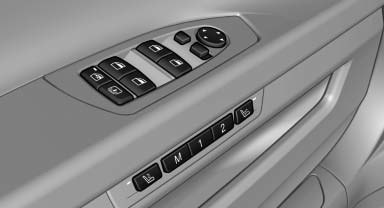
Take the remote control with you when leaving the vehicle so that children, for example, cannot operate the power windows and injure themselves.
See also:
Exclusively from BMW ConnectedDrive: a wide range of driver assistance
systems, including BMW Head-Up Display with a full spectrum of colours.
The selection of driver assistance systems and mobility services available
from BMW ConnectedDrive for the new BMW 6-Series Coupe is even broader than that
enjoyed by its predecessor. These system ...
Energy recovery
The energy of motion of the
vehicle
is converted to electrical energy
while coasting. The vehicle
battery is partially charged and
fuel consumption can be lowered. ...
Initializing after a power failure
After a power failure during the opening or closing
process, the roof can only be operated to a
limited extent.
Initializing the system
The system can be initialized when the vehicle
is statio ...