
CD/Multimedia
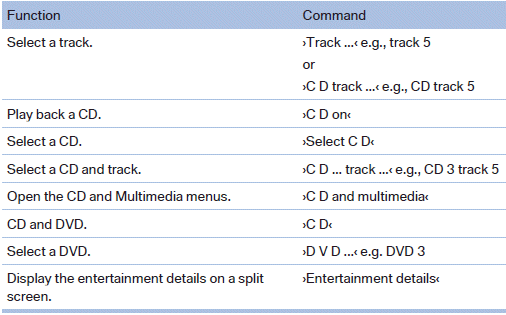
CD/DVD drive
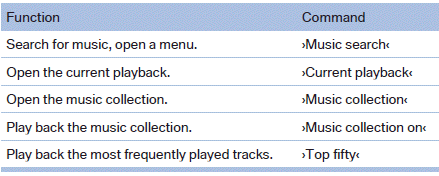
Music collection
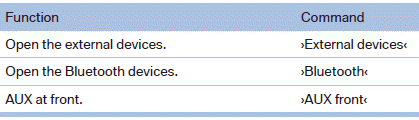
External devices
Tone

See also:
Selecting channels
You can only listen to enabled channels.
The selected channel is stored for the remote
control currently in use.
Via iDrive
1. "Radio"
2. "Satellite radio"
3. Select "A ...
Status display
1. "Vehicle Info"
2. "Vehicle status"
3. "TPM" ...
Camera
Camera
The camera lens is located in the handle of the
trunk lid. The image quality may be impaired by
dirt.
Clean the lens. ...