
Adjusting
Vehicle
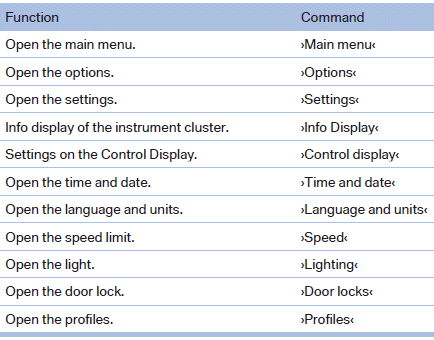
Equipment
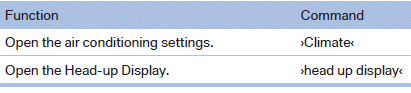
See also:
Controls
Controls
1 Display screen
2 Infrared interface for headphones
3 CD/DVD player
4 Headphone connection: jack plug
5 12 V sockets ...
Setting the language of the
DVD system
1. Select a CD/DVD track.
2. Press the button.
3. Select "Tone".
4. Press the button.
5. Switch to the top window.
6. Select "Language".
7. Press the button.
8. Select th ...
SENSE AND STYLE
Family Friendly (Not Really, Fair, Great, Excellent): Great
Fun-Factor (None, Some, Good Times, Groove-On): Good Times ...