
Opening the main menu
 Press the button.
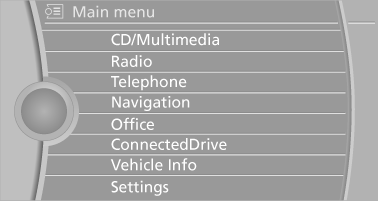
The main menu is displayed.
All iDrive functions can be called up via the main menu.
See also:
Instrument lighting
Instrument lighting
Adjust the brightness using the thumbwheel ...
Steering wheel
General information
Do not adjust while driving
Do not adjust the steering wheel while
driving; otherwise, an unexpected movement
could result in an accident.◄
Adjusting
1. Fold the lev ...
Possible commands
Having possible commands read aloud
Briefly
press the button on the steering
wheel. ›Help‹.
Possible commands are announced.
The digits from zero to nine are recognized. The
digits can ...