
Bypassing a section of the route
Calculate a new route for a route section.
1. "Navigation"
2. "Route information"
3. "New route for"
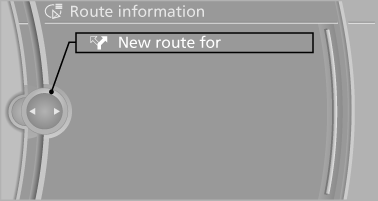
4. Turn the controller. Enter the number of kilometers
within which you would like to return
to the original route.
5. Press the controller.
See also:
Entering appointment dates
Enter the dates for the required inspections.
Ensure that the vehicle date and time are set
correctly.
1. "Vehicle Info"
2. "Vehicle status"
3. "Service required"
...
Manual transmission
Switching off the engine
1. With the vehicle at a standstill, press the
Start/Stop button.
2. Shift into first gear or reverse.
3. Set the parking brake. ...
General information
The glass sunroof and the sliding visor can be
operated together or separately using the
switch.
Danger of pinching
Monitor the closing process and make
sure that the closing path of the gla ...