
Center armrest
Front
A storage compartment is located in the center armrest between the front seats.
Opening
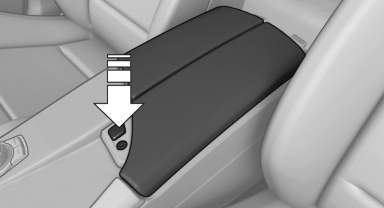
Press the button.
Locking the storage compartment
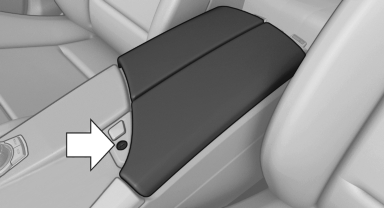
The storage compartment in the armrest can be locked with an integrated key to separately secure the trunk lid, for example.
After the storage compartment is locked, the remote control can be handed out without the integrated key, for instance at a hotel.
This prevents access to the storage compartment and to the cargo area.
Connection for an external audio device
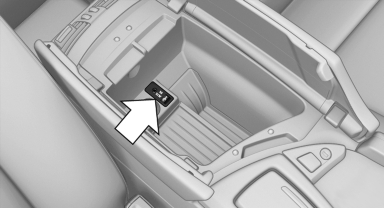
This can be used to connect an external audio device, such as an MP3 player.
▷ AUX-IN port
▷ USB audio interface, refer to page 213
Rear
The center armrest contains a storage compartment.
Folding down
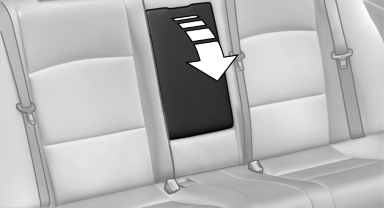
Pull on the opener and fold the armrest forward.
Opening
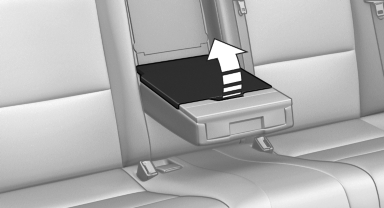
Pull on the handle and fold open the cover.
See also:
Requirements
Via the Control Display, set a language that is
also supported by the voice activation system
so that the spoken commands can be identified.
Set the language ...
Mounts for the lower LATCH anchors
Correctly engage the lower LATCH anchors
Make sure that the lower LATCH anchors have
properly engaged and that the child restraint fixing
system is resting snugly against the backrest;
otherwi ...
Emissions
The warning lamp lights up:
The vehicle is producing higher emissions. The trip can be continued. Have the
car checked as soon as possible.
Canadian models display this warning lamp.
The lamp f ...