
Switching on/off manually
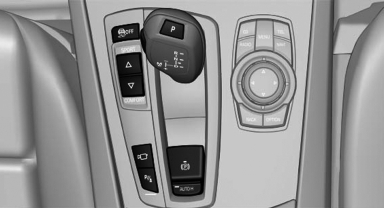
 Press the button.
▷ On: the LED lights up.
▷ Off: the LED goes out.
If Top View is displayed, switch on the backup camera via the iDrive,
See also:
Pinch protection
If the closing force exceeds a specific value as a
window closes, the closing action is interrupted.
The window reopens slightly.
Danger of pinching even with pinch protection
Even with the pin ...
Display visibility
The visibility of the displays in the Head-up Display
is influenced by:
▷ Certain sitting positions.
▷ Objects on the cover of the Head-up Display.
▷ Sunglasses with certain pol ...
What to do if...
Only a black screen is visible.
Switch on the system.
There are no options available on the screen.
Replace remote control batteries.
Radio stations or TV channels are grayed out
and c ...