
Opening/closing the sliding visor
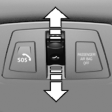 ▷ Press the switch in the
desired
direction to the resistance
point and hold it there.
▷ Press the switch in the
desired
direction to the resistance
point and hold it there.
The sliding visor moves while
the switch is being held.
▷ Press the switch in the desired direction
past the resistance point.
The sliding visor moves automatically.
Pressing the switch again stops the motion.
See also:
Automatic deactivation of the front
passenger airbags
The system determines whether the front passenger
seat is occupied by measuring the resistance
of the human body.
The front, knee, and side airbag on the front
passenger side are activated or d ...
Manual transmission
Starting the engine
1. Depress the brake pedal.
2. Press on the clutch and shift to neutral.
3. Press the Start/Stop button.
The ignition is activated automatically for a certain
time and is sto ...
Comfort position
In the comfort position, the roof is not fully open.
This reduces wind noise in the passenger compartment.
Each time the glass sunroof is opened or closed
all the way, it stops in the comfort posi ...