
Driver's door controls
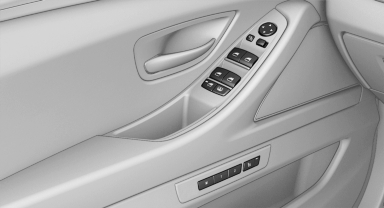
Driver's door controls
Roller blind for rear window
 Press the button.
See also:
Display in the instrument cluster
ECO PRO bonus range
An extension of the range can be
achieved by an adjusted driving
style.
This may be displayed as the bonus
range in the instrument cluster.
Driving style
In the tacho ...
AUX-IN port
At a glance
For connecting audio devices, e.g., MP3
player. The sound is output on the vehicle
loudspeakers.
Recommendation: use medium tone and
volume settings on the audio device. The ...
Opening the Options menu
Press the button.
The "Options" menu is displayed.
Additional options: move the controller to the
right repeatedly until the "Options" menu is displayed.
Options menu ...