
Locking and unlocking
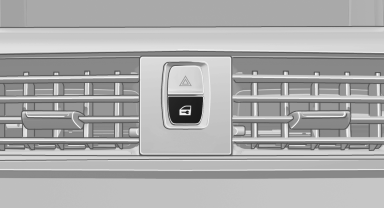
Locking and unlocking
Pressing the buttons locks and unlocks the doors and the trunk lid when the front doors are closed, but they are not secured against theft.
The fuel filler flap remains unlocked.
See also:
Message when the system was not
reset
A Check Control message is displayed.
The system detected a wheel change but was
not reset.
Warnings regarding the current tire inflation
pressure are not reliable.
Check the tire inflation pre ...
New remote controls
You can obtain new remote controls from your
service center.
Loss of the remote controls
Lost remote controls can be blocked by your
service center.
Emergency detection of remote control
It is p ...
General information
Antifreeze for washer fluid
Antifreeze is flammable. Therefore, keep
it away from sources of ignition.
Only keep it in the closed original container and
inaccessible to children.
Follow the i ...