
Controller
Select menu items and create settings.
1. Turn.
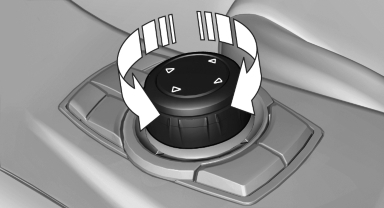
2. Press.
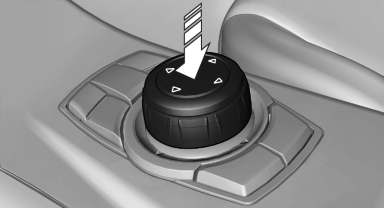
3. Move in four directions.
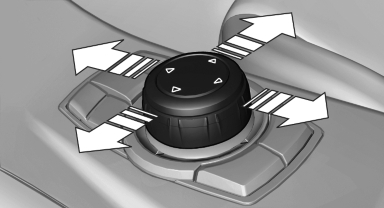
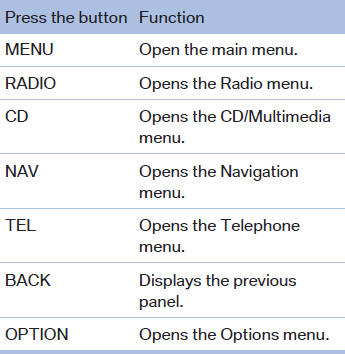
Buttons on controller
See also:
BMW Info
General information
Messages from BMW regarding service actions
and news from BMW.
Selecting additional functions
The following functions are available when a
message is selected:
...
What to do if...
Information on suitable mobile phones, refer to
page 204.
The mobile phone could not be paired or connected.
► Is Bluetooth activated in the vehicle and on
the mobile phone? Activate Blu ...
Fog lamps
To switch on/off, press the button.
The parking lamps or low beams must be switched
on for the fog lamps to operate. The green indicator lamp in the instrument cluster lights up whenever the fog ...