
Onboard vehicle tool kit
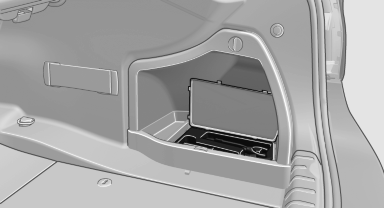
The onboard vehicle tool kit is located on the right side in the cargo area in a storage compartment.
Open the cover.
See also:
CD/Multimedia
CD/DVD drive
Music collection
External devices
Tone
...
Stored stations
General information
It is possible to store up to 40 stations.
Calling up a station
1. "Radio".
2. "Presets".
3. Select the desired station.
Storing a station
The station cu ...
With the Professional navigation system: Split screen
General informationAdditional information, e.g. from the computer, can be displayed on the right
side of the split screen.
This information remains visible on the split screen even when you change ...