
BMW Info
General information
Messages from BMW regarding service actions and news from BMW.
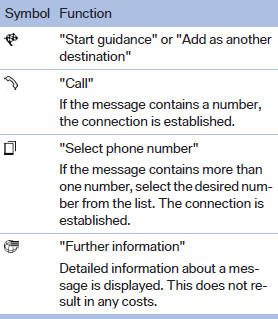
Selecting additional functions
The following functions are available when a message is selected:
See also:
Bluetooth audio
Overview> It is possible to use Bluetooth to play music files from external devices,
e.g. audio devices or mobile phones.
Using a mobile phone as an audio source.
> Bluetooth® is a registere ...
Care products
Regular cleaning and care contributes significantly to the value retention of
your BMW.
BMW recommends cleaning and caring for your vehicle with products that are approved
by BMW for this purpose ...
Head restraints
Correctly adjusted head restraintA correctly adjusted head restraint reduces the risk of neck injury in the event
of an accident.
Adjust the head restraint in such a way that
its center is at ap ...