
Switching on/off manually
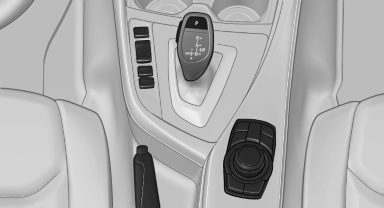
Switching on/off manually
 Press the button.
▷ On: the LED lights up.
▷ Off: the LED goes out.
The PDC is shown on the Control Display.
Switch on the backup camera via the iDrive.
See also:
Connecting jumper cables
1. Fold open the cover of the BMW starting-aid
terminal. To do so, pull the tab.
2. Attach one terminal clamp of the positive
jumper cable to the positive terminal of the
battery, or to the cor ...
Functional requirements
There are no external sources of interference
nearby.
To lock the vehicle, the remote control must
be located outside of the vehicle.
The next unlocking and locking cycle is not
possib ...
Selecting the sorting order of the
names
Names can be displayed in a different order.
1. "My contacts"
2. Open "Options".
3. "Display: last, first name" or "Display: first,
last name" ...