
Welcome lamps
When parking the vehicle, leave the switch in
position  or
or
 : the parking and interior
lamps light up briefly when the vehicle is unlocked.
: the parking and interior
lamps light up briefly when the vehicle is unlocked.
Activating/deactivating
1. "Settings"
2. "Lighting"
3. "Welcome light"
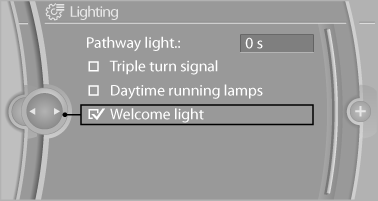
The setting is stored for the remote control currently in use.
See also:
Selecting the map view
1. "Navigation"
2. "Map" ...
Example: playing back a CD
1. If necessary, switch on entertainment audio output.
2. Press the button on the steering wheel.
3. {C D and multimedia}
The system plays the last media played.
4. Press ...
Vehicle equipment
All standard, country-specific and optional
equipment that is offered in the model series is
described in this chapter. Therefore, equipment
is also described that is not available in a vehicle, ...