
Changing settings
1. Select a field.
2. Turn the controller until the desired setting is displayed.
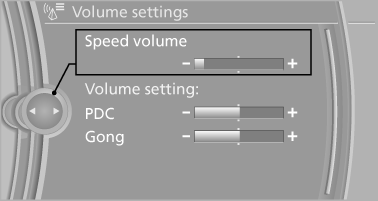
3. Press the controller.
See also:
Headlamp range control
With halogen headlamps, the headlamp range of
the low beams can be manually adjusted for the
vehicle load to avoid blinding oncoming traffic.
The values following the slash apply to trailer
ope ...
Switch off the engine during longer stops
Switch off the engine during longer stops, e.g.,
at traffic lights, railroad crossings or in traffic
congestion.
Fuel savings are achieved after the vehicle is
switched off for only approx. 4 s ...
Changing the trip direction
Intermediate destinations are displayed in reverse
order in the list.
1. "Map"
2. "Guidance"
3. Open "Options".
4. "Reverse order of trip dest." ...