
Controller with navigation system
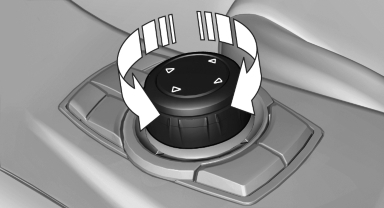
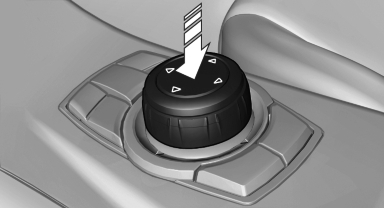
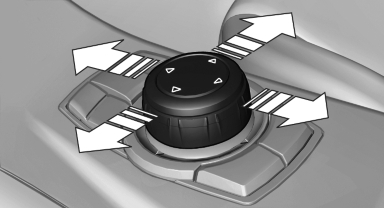
Select menu items and create settings.
1. Turn.
2. Press.
3. Move in four directions.
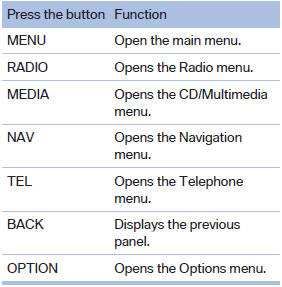
Buttons on controller
See also:
Status of this Owner's Manual at time of printing
BMW pursues a policy of continuous, ongoing development that is conceived to
ensure that our vehicles continue to embody the highest quality and safety standards
combined with advanced, state-of-t ...
Removing the mobile phone
Press the button and remove the mobile phone. ...
Pinch protection system
If the closing force when closing the glass sunroof
exceeds a certain value, the closing movement
is stopped, beginning at approximately the
middle of the opening in the roof, or from the
tilt ...