
Managing a subscription
To be able to enable or unsubscribe from the channels, you must have reception. It is usually at its best when you have an unobstructed view of the sky. The channel name is displayed in the status line.
Enabling channels
The Unsubscribed Channels category contains all disabled channels.
1. "Radio"
2. "Satellite radio"
3. "Category"
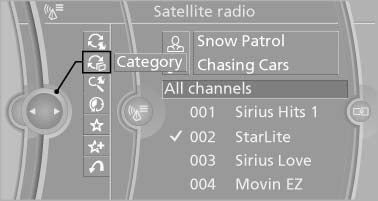
Category
4. Select the Unsubscribed Channels category.
5. Select the desired channel.
The phone number and an electronic serial number, ESN, are displayed.
6. Select the phone number to have the channel enabled.
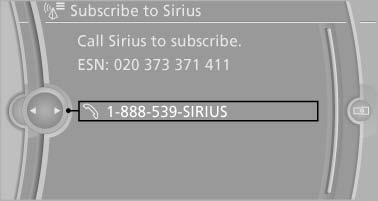
Select the phone number to have the channel
enabled
You can unsubscribe from the channels again via this phone number.
Unsubscribing from channels
1. "Radio"
2. "Satellite radio"
3. Open "Options".
4. "Manage subscription"
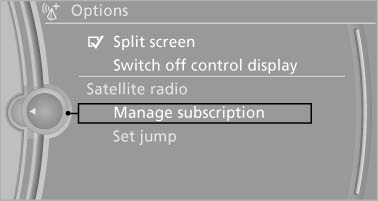
Manage subscription
5. The phone number and an electronic serial number, ESN, are displayed.
6. Call Sirius to unsubscribe from the channels.
See also:
BMW 328i: new four-cylinder petrol engine with TwinPower Turbo technology
sets a new benchmark for driving dynamics and efficiency
With the launch of the new sports sedan, a brand-new four-cylinder engine
will make its debut in the BMW 3-Series. In keeping with the dynamic overall
theme of the new BMW sports sedan, this new-g ...
Manual air distribution
The air distribution can be adjusted to individual
needs.
Press the button repeatedly to
select a
program:
▷ Upper body region.
▷ Upper body region and footwell.
▷ Footwel ...
Tire inflation pressure values over
100 mph/160 km/h
528i
Without high-speed tuning feature
550i
Without high-speed tuning feature
With high-speed tuning feature
528i xDrive
Without high-speed tuning feature
With high-speed tuning ...