
Selecting a station
1. "Radio"
2. "FM" or "AM"
3. Select the desired station.
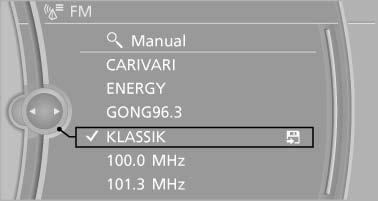
Select the desired station
All saved stations are stored for the remote control currently in use.
Changing the station
Turn the controller and press it
or  Press the button
or Press the buttons on the steering wheel
See also:
Vehicle equipment
All standard, country-specific and optional
equipment that is offered in the model series is
described in this chapter. Therefore, equipment
is also described that is not available in a vehicle, ...
Renaming a station
A station with changing station names can be
renamed.
1. "Radio".
2. "FM" or "AM".
3. Select the desired station.
4. "Options" Open.
5. "Rename to:& ...
Language
Setting the language
To set the language on the Control Display:
1. "Settings"
2. "Language/Units"
3. "Language:"
4. Select the desired language.
The settin ...