
Filtering traffic bulletins
You can set which traffic bulletins appear on the map.
1. "Navigation"
2. "Map"
3. Open "Options".
4. "Traffic Info categories"
5. Select the desired category.
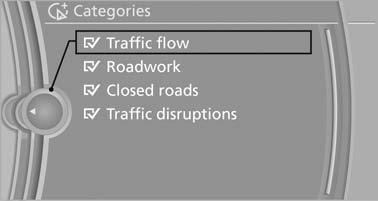
Select the desired category
Traffic bulletins of the selected category are displayed on the map.
▷ Traffic bulletins that are relevant to the route
are always shown.
▷ For your own safety, traffic bulletins that notify
you of potentially dangerous situations,
such as wrong-way drivers, cannot be hidden.
See also:
Unpairing the mobile phone
1. "Telephone"
2. "Bluetooth® (phone)"
3. Highlight the mobile phone that is to be unpaired.
4. Open "Options".
5. "Remove phone from list" ...
Entry comparison
Entry of names and addresses: the selection is
narrowed down every time a letter is entered and
letters may be added automatically.
The entries are continuously compared to the
data stored in t ...
Indication in the info display
The information from the computer
is shown in the Info display
in the instrument cluster. ...