
Using the home address as the destination
The home address must be stored. Specify the home address
1. "Navigation"
2. "Address book"
3. "Home"
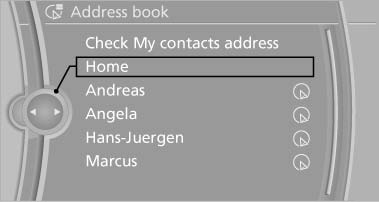
Using the home address as the
destination
4. "Start guidance"
See also:
Starting BMW Online
1. "BMW Assist" or "ConnectedDrive"
2. "BMW Online"
Starting BMW Online
3. If necessary, "OK".
The BMW Online home page is displayed. ...
Adjusting the info display
You can select what information from the computer
is to be displayed on the info display of the
instrument cluster.
1. "Settings"
2. "Info display"
3. Select the desired dis ...
Observe the following whenrefueling
The fuel tank is full when the filler nozzle clicks
off the first time.
Do not overfill the fuel tank
Do not overfill the fuel tank; otherwise fuel
may escape, causing harm to the environment
an ...