
Entering a state/province
1.  Press the
button.
Press the
button.
2. "Navigation"
3. "Enter address"
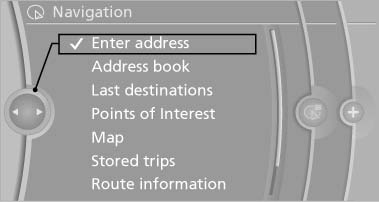
Enter address
4. Select "State/Province" or the displayed state/province.
See also:
Under the Hood
BMW's inline-six-cylinder engine makes 230 horsepower and 200 pounds-feet of
torque in the 128i. It works through a six-speed manual or a six-speed
automatic. The automaker says a stick-shift 128i ...
Loss of the remote controls
Lost remote controls can be blocked by your
service center. ...
General information
The navigation system can determine the precise
position of the vehicle, with the aid of satellites
and vehicle sensors, and can reliably
guide you to every entered destination.
Navigation data ...