
Front
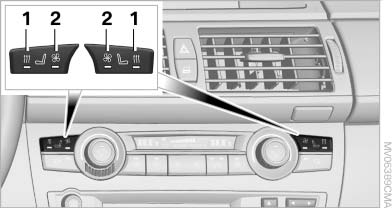
Active seat ventilation
1. Seat heating
2. Active seat ventilation
Press button 1 or 2 once depending on the temperature or ventilation position. The LED in the respective button lights up.
The temperature and ventilation levels are displayed in bar form on the Control Display. A display of three bars indicates the highest level of seat heating or seat ventilation.
The air flow rate may be reduced or the blower may be switched off entirely to save on battery power. The LEDs remain lit.
To switch off: press and hold button 1 or 2.
Temperature distribution without active seat ventilation
The heat output can be distributed variously in the seat cushion and the backrest.
1. Press button 1.
2. "Seat heating distribution"
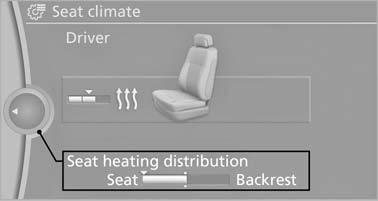
Seat heating distribution
3. Turn the controller to adjust the distribution.
The setting is applied.
Temperature distribution with active seat ventilation
The heat output can be distributed variously in the seat cushion and the backrest.
1. Press button 1.
2. "Seat heating distribution"
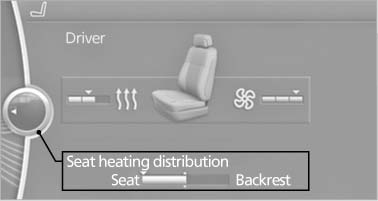
"Seat heating distribution
3. Turn the controller to adjust the distribution.
The setting is applied.
Heated rear seats
Operation similar to front seat heating, without temperature distribution
See also:
A-Z search
1. "A-Z search"
2. "Town/City"
3. Select or enter the town/city.
4. "Category"
5. Select the category.
6. "Category details"
For some special destinations ...
Storing
1. Switch on the ignition.
2. Set the desired position.
3. Press the button. The LED in
the
button lights up.
4. Press the desired button 1 or 2. The LED
goes out.
If the M button is presse ...
Driving through water
Maximum water depth:
▷ BMW X5: 20 inches/50 cm.
▷ BMW X6: 17 inches/45 cm.
Adhere to water depth and speed limitations
Only drive through water up to the above-mentioned
depth at n ...