
Customer Relations
At a glance
Contact Customer Relations for information on all aspects of your vehicle.
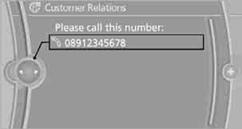
Calling Customer RelationsVehicle not equipped with BMW Assist or BMW TeleServices
1. "BMW Assist" or "ConnectedDrive"
2. "Customer Relations"
The Customer Relations phone number is displayed. If a mobile phoneis paired, a connection is established to Customer Relations.
Vehicle equipped with BMW Assist or
BMW TeleServices
1. "BMW Assist" or "ConnectedDrive"
2. "Customer Relations"
3. "Start service"
See also:
Digital compass
1. Adjustment button
2. Display
The display shows you the main or secondary compass direction in which you are
driving.
Operating principleYou can call up various functions by press ...
Radio
FM
AM
Satellite radio
Stored stations
...
Ashtray
Opening
Push the ridge on the cover.
Emptying
Lift out the insert.
Lighter
With the engine running or the ignition switched on, press in the cigarette lighter.
The lighter can be pulled out as s ...