
Snap-in adapter
Installation location
In the center armrest.
Inserting snap-in adapter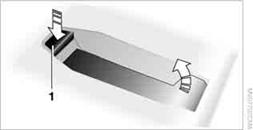
1. Press the button and remove the cover.
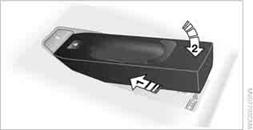
2. Insert the snap-in adapter at the front, arrow 1, and press downward, arrow
2, until it clicks into place.
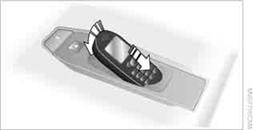
1. Depending on the mobile phone, it may be necessary to remove the protective
cap of the antenna connector and from the USB connection of the mobile phone.
2. With its buttons facing upward, slide the mobile phone up towards the electrical
contact points and press it downward until it engages.
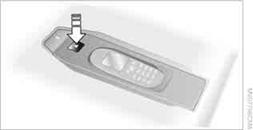
Press the button and remove the mobile phone.
See also:
Vehicle equipment
This Owner's Manual describes all models and
all standard, country-specific and optional
equipment that is offered in the model series.
Therefore, in this Owner's Manual, equipment is
also descr ...
Apps
At a glance
Certain software applications of a suitable cell
phone can be integrated in the vehicle. These
software applications are displayed on the Control
Display.
They are operated via iDr ...
Massage function in rear seats
Wavelike motions from the top to the bottom in
the backrest relax back muscles.
Button in rear
Switching on
To switch on, press the button
once for
each massage level.
The highest level i ...