
Check Control
The concept
The Check Control monitors vehicle functions and alerts you to any malfunctions in the systems monitored. Such a Check Control message includes indicator and warning lamps in the instrument cluster and, in some circumstances, an acoustic signal as well as text messages at the top of the Control Display.
Indicator and warning lamps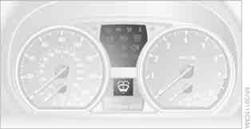
Indicator and warning lamps can light up in a variety of combinations and colors.
Several of the lamps are checked for proper functioning and light up temporarily when the engine is started or the ignition is switched on.
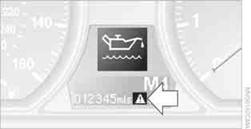
 indicates that Check Control messages have been
stored. These Check Control messages can be viewed again later.
indicates that Check Control messages have been
stored. These Check Control messages can be viewed again later.
Text messages at the upper edge of the Control Display explain the meaning of the displayed indicator and warning lamps.
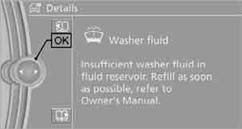
Supplemental text messagesYou can call up more information on the Control Display, e.g. on the cause of a malfunction and on how to respond, via Check Control.
Hiding Check Control messages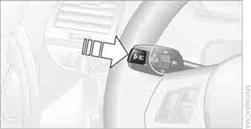
Press the button on the turn signal/high beam lever.
> Some Check Control messages are displayed continuously and remain visible until the malfunction has been rectified. If several malfunctions occur at once, the messages are displayed consecutively.
These messages can be hidden for approx. 8 seconds. After this, they are displayed again automatically.
 They are marked with the symbol shown here.
> Other Check Control messages are hidden automatically after approx. 20 seconds. They are stored and can be displayed again
later.
 They are marked
with the symbol shown here.
They are marked
with the symbol shown here.
The text of urgent messages is displayed automatically.
To exit the display:
Select "OK" and press the Controller.
Symbols
Depending on the Check Control message, you can select from among the following functions in the supplementary text messages.
>  "Service request" Contact your BMW center.
>  "Roadside Assistance"
Contact BMW Roadside Assistance.
Displaying stored Check Control messages
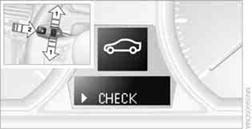
1. Push button 1in the turn signal/high beam lever up or down repeatedly
until the appropriate symbol appears in the display, accompanied by the words "CHECK".
2. Press button 2.
"CHECK OK" appears if there are no Check Control messages. If a Check Control message has been stored, the corresponding lamp lights up. It is accompanied by a text message on the Control Display.
3. Push button 1to check for other messages.
4. Press button 2.
The display again shows the outside temperature and the time.
Via iDrive
1. "Vehicle Info"
2. "Vehicle status"
3. "Check Control"
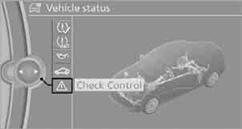
4. Select the text message.
See also:
Display on the Control Display
Switching on the backup camera via the
iDrive
With PDC activated:
"Rear view camera"
The backup camera image is displayed. The setting
is stored for the remote control currently in
...
Screw thread
Left/right cover in the bumper: press on the arrow
symbol on the cover.
BMW X5: front
BMW X6: front
Rear
...
External devices
At a glance
...