
Automatic Service Request
The TeleService data necessary for servicing the vehicle are automatically sent to your service partner prior to the service deadline. If possible, the service partner will contact you and a service appointment can be arranged.
To check when your service partner was notified:
1. "Vehicle Info"
2. "Vehicle status"
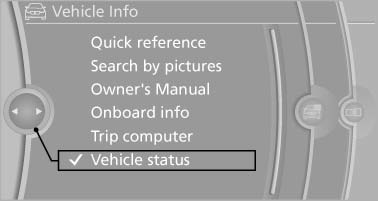
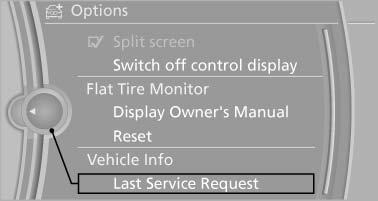
3. Open "Options".
4. "Last Service Request"
See also:
Tire inflation pressure values over 100 mph/160 km/h
320i
328i
335i
...
Mirrors
Exterior mirrors The front passenger's mirror is more convex
than the driver's mirror. The objects seen in the mirror are closer than they appear.
Do not gauge your distance from traffic be ...
Displays in the instrument cluster
Indicator lamp
Depending on how the vehicle is
equipped,
the indicator lamp in the instrument
cluster indicates whether the system is
switched on.
Desired speed
▷ The marking light ...